Instructions
1 of 1Use the family photo maker to generate an AI portrait from separate pictures. Bring family members and pets into one shared setting, then finish your keepsake with a message in your own words.
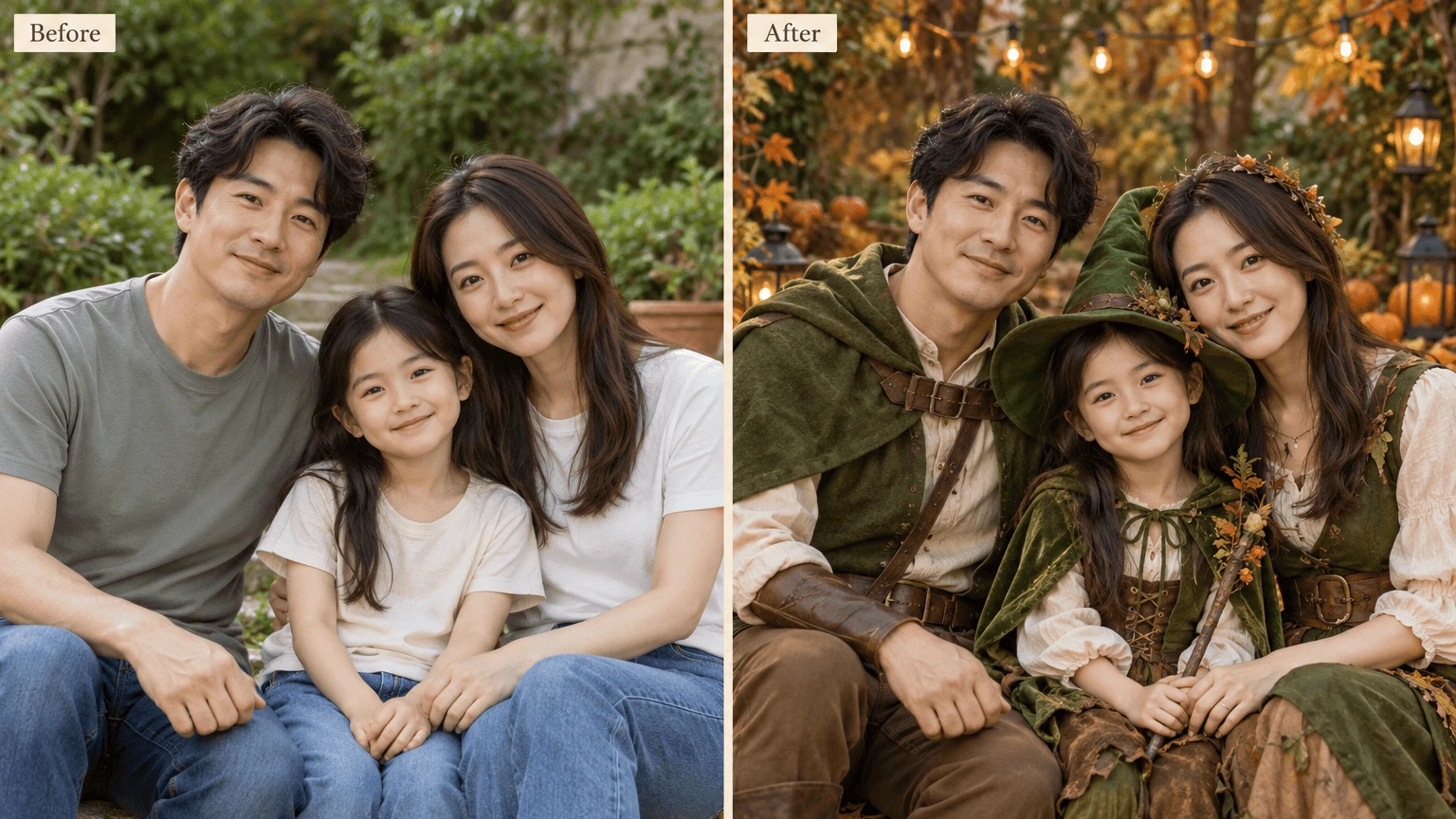
The family photo maker uses each reference to guide a shared portrait. Choose the people or pets you want included, then give them a setting and visual finish that belong together.

Start with photographs you already have. The family photo maker accepts two to eight references for one shared portrait.
Add a clear pet reference alongside the people. Use labels in the family photo maker to identify who should appear together in the portrait.

Try a studio, garden, beach or home scene to give everyone a common backdrop without arranging a new group sitting.
Add a family name or short greeting, preview a print canvas, and download an image for your own sharing or framing.

Choose a recognizable photograph for each person or pet, then label references in upload order. Notes can explain relationships or arrangement. The aim is one coherent new portrait with all referenced subjects together.
Choose Your References
Select a photographic, watercolor, pencil or cinematic finish. After generation, add two exact text lines and arrange the print canvas. A birthday greeting or family dedication can change without spending credits on a new image.
Create a Family PortraitGive the family photo maker two to eight clear images. Add labels so each family member or pet is easy to identify.
Choose a scene, finish, aspect ratio and tier in the family photo maker. Add notes describing the group arrangement and mood.
Check faces and pet details, add a greeting, and download your result. Save the project explicitly to continue another day.
Add between two and eight reference images for one new portrait. The family photo maker accepts JPG, PNG and WebP files up to 10 MiB each. Choose clear references and label them in upload order so your instructions describe the intended people or pets.
The family photo maker creates a new portrait and shared setting from separate references. If you want to keep an existing group scene and add one person, choose the homepage tool. That task uses the original group photograph as the base instead.
Yes. Supply a clear pet photograph among your references and add a label identifying the animal. The family photo maker is instructed to include pets alongside the people. Check fur markings, size and position in the generated image.
Use recognizable faces with good lighting and visible details. Similar ages and clear views can make your intention easier to communicate to the family photo maker. Avoid heavily blurred images or faces hidden behind accessories, and review each likeness in the result before keeping it.
Use notes to describe an arrangement. Mention who should stand or sit together in the chosen scene. Refer to labels or upload order when explaining relationships. The family photo maker uses those instructions as guidance, so check placement in the result rather than expecting exact positioning.
The generation instructions aim to include each referenced subject once and preserve recognizable features. The family photo maker can still omit, duplicate or alter details. Check every person and pet, especially faces, hands and the overall group arrangement, before keeping the image.
Yes. Add a caption and second line after generation, with top or bottom placement and black or white lettering. The family photo maker keeps these edits separate from the AI artwork, so you can correct a name or change a greeting without creating another image.
Choose original size, 6×4, 5×7, 8×10 or A4. Contain keeps the whole image visible; cover fills the canvas by cropping. Preview the group carefully so no one is lost at an edge, then download the edited PNG with your chosen layout.
The 1K, 2K and 4K choices are generation tiers; actual source dimensions are shown with the result. Check those pixels at your intended print size. A 300 DPI export can enlarge an image but cannot create missing facial detail.
Each new portrait in the family photo maker costs 10 credits at any tier, including variations. Registration includes a one time 10 credit grant. Editing and downloading an existing image cost no extra generation credits; failed generations follow the credit return process.
Save your work in the family photo maker to keep references, settings, text edits and the result together in your account. If saving fails, current inputs remain available to retry. Download important portraits too, because result files have a limited lifetime.
Your references and results stay private to your account within the service, while AI providers process the images. Use photos you have permission to submit, especially for children. Leave time to review faces and text before sharing.

Choose your people, include the pets, and use the family photo maker to begin a new portrait from the photographs you already have.
Create a Family Portrait